Free English speaking practice
Sound natural in English by shadowing real speakers
Listen to one sentence, say it back, and hear yourself next to the speaker. Ten minutes a day trains your pronunciation, your rhythm and your ear.
- Free
- No account
- Nothing to install
Small steps every day make hard things feel easy.
- lessons with real speakers
- 8
- sentences to practise
- 2,937
- ways to practise each lesson
- 3
- no account, no card
- Free
You understand English. Speaking it is the hard part.
Reading and listening build knowledge. Speaking is a physical skill: your mouth has to learn the rhythm, the stress and the way words run together. Shadowing trains exactly that, by having you copy people who already do it well.
What each lesson does for you
- Shadow
Sound more natural
Repeat each sentence after the speaker and compare your recording with theirs. Words light up as they are spoken, so you copy the rhythm, not only the words.
What is shadowing? - Dictation
Catch fast speech
Type the missing words as you listen. You see at once which words your ear misses; usually the small, quick ones.
How dictation helps - Vocabulary
Keep the words you meet
Click any word for its meaning, level and pronunciation. Harder words are marked for your level, and you can save them.
How to read IPA
How a session works
- Step 1
Listen to one sentence
The video plays a single sentence and stops, at full speed or slowed down.
- Step 2
Say it aloud
Repeat it straight away, copying the speaker’s rhythm. Record yourself if you like.
- Step 3
Compare and move on
Hear your recording next to the original, try again, or go to the next sentence.
Lessons to start with
Browse all lessons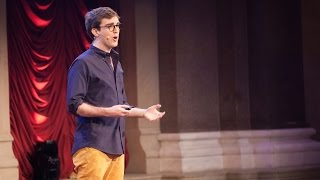 6 min
How to Sound Smart in Your TEDx Talk
Will Stephen
 15 min
Steve Jobs' 2005 Stanford Commencement Address
Steve Jobs
 64 min
How to Speak (MIT OpenCourseWare)
Patrick Winston
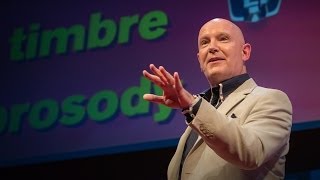 10 min
How to Speak So That People Want to Listen
Julian Treasure
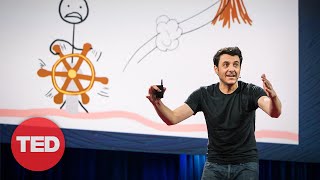 14 min
Inside the Mind of a Master Procrastinator
Tim Urban
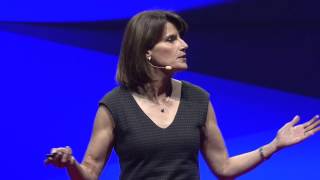 14 min
After Watching This, Your Brain Will Not Be the Same
Lara Boyd
Or practise with a speaker you choose
Why SpeakTwin
Real speech, not robot voices
Every lesson is a real talk or speech, with the pauses, stress and speed people actually use.
Your voice stays with you
Recordings and progress are kept in your browser, on your device. There is no account to create.
Any YouTube video
Paste a link to a video with English subtitles and practise it the same way, sentence by sentence.
At your pace
Slow a sentence to half speed, repeat it as often as you like, and hide the text when you are ready.
Learn the technique
All guidesWhat is shadowing?
Shadowing means repeating what a speaker says, right after them, copying their rhythm and melody. How it works, why it helps and how to start.A 15-minute daily shadowing routine
A short English shadowing routine you can repeat every day: listen first, work through a few sentences, then run them together and review.How to choose a good video for shadowing
Not every video works for shadowing. Look for one clear speaker, accurate subtitles, a comfortable speed and a topic you care about.Common shadowing mistakes
Shadowing not working for you? These eight habits slow learners down: going too fast, reading instead of listening, never recording, and more.Dictation for listening
Dictation shows exactly which English words your ear misses. How to practise it, how many words to hide, and what your mistakes tell you.Shadowing or dictation?
Shadowing trains speaking, dictation trains listening. How the two exercises differ, when to use each, and a simple weekly plan that combines them.
Questions
What is shadowing?
Shadowing is a speaking exercise in which you listen to a native speaker and repeat what they say right after them, copying their pronunciation, rhythm and intonation.
What is dictation mode?
A listening exercise: the sentence plays with some words hidden and you type what you hear. It shows exactly which words you miss, and it works well alongside shadowing.
Is SpeakTwin free?
Yes. Every lesson is free and there is no account to create.
Do I need a microphone?
No. You can listen and repeat without one. With a microphone you can also record each sentence and compare it with the original.
How do I choose a level?
Each lesson has a CEFR level from A1 to C2, estimated from its vocabulary and speaking speed. For speaking practice, start at or just below your reading level and slow the video down when you need to.
Where do my recordings go?
They stay in your browser, on your device; we never receive them. One optional feature is different: “Check my words” in desktop Chrome and Edge uses the browser’s own speech recognition, which may send audio to the browser’s maker. The Privacy page has the details.
Can I practise with my own video?
Yes. Paste a YouTube link and, if the video has English subtitles, it is split into sentences for you. You can also add your own subtitle file.
Does it work on a phone?
Yes. Lessons work in current phone and desktop browsers. Recording needs microphone permission, and automatic word checking works best in desktop Chrome or Edge.
How long should I practise?
Ten to fifteen minutes a day is a good target. Short daily sessions work better than a long one once a week.
Say your first sentence in the next minute
Pick a lesson, press play, repeat. No sign-up, nothing to install.